DBeaver vs GitButler: At a Glance
DBeaver is the better choice for database administrators and analysts managing multiple database systems because it connects to over 80 database types through a unified interface; GitButler suits developers juggling multiple feature branches simultaneously because it enables parallel work on incomplete features without traditional git stashing workflows.
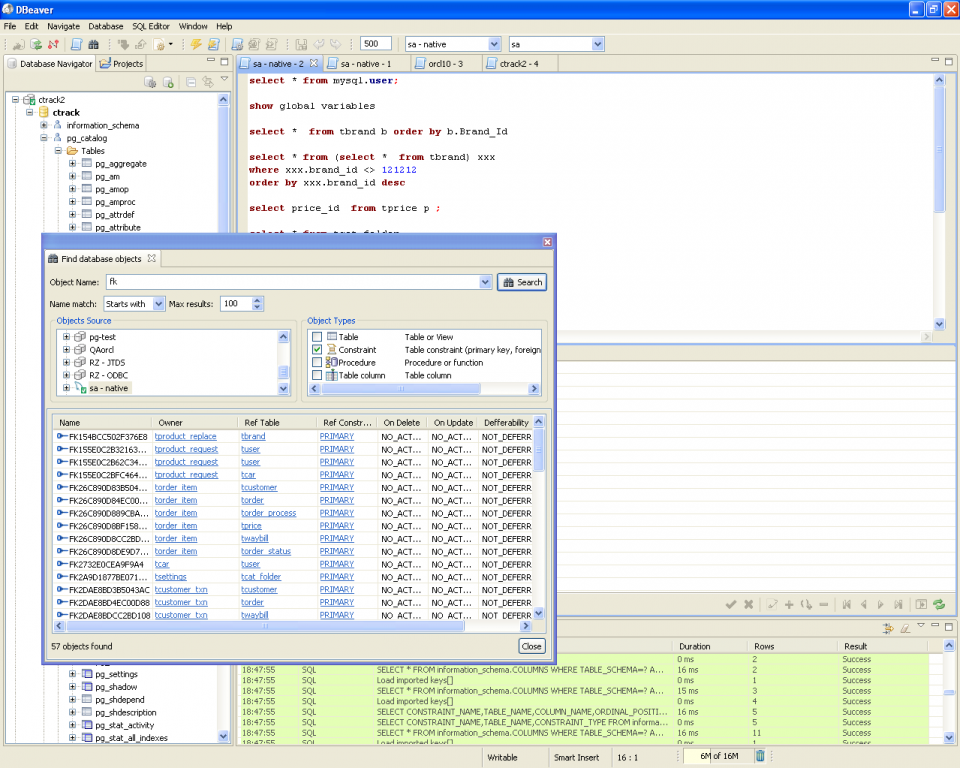
DBeaver 26.0.3 serves as a universal database client supporting MySQL, PostgreSQL, Oracle, SQLite, MongoDB, and dozens more through JDBC drivers, while GitButler 0.19.9 functions as a visual git client with virtual branch technology for Windows-based development workflows. Both programs target the developer tools ecosystem but address completely different pain points.
The split comes down to whether you need thorough database management across heterogeneous systems or innovative git workflow management for concurrent feature development.
Where DBeaver Wins
Universal Database Support
DBeaver connects to over 80 database systems including NoSQL platforms like MongoDB and Cassandra alongside traditional SQL databases. The tool handles Oracle, IBM DB2, MySQL, PostgreSQL, and SQLite through the same tabbed interface, eliminating the need to learn vendor-specific tools. I can execute queries against a PostgreSQL development database and immediately switch to a production Oracle instance without changing applications. Database schema comparison tools identify structural differences between environments, while the ER diagram generator visualizes table relationships automatically across any supported database type.
Advanced SQL Development Features
The built-in SQL editor provides intelligent autocomplete that adapts to each database dialect's specific function library and reserved keywords. Query execution plans display visually through Ctrl+Shift+E, helping optimize performance across different database engines. The tool includes syntax highlighting for PL/SQL, T-SQL, and PL/pgSQL stored procedures. Mock data generation creates test datasets with configurable patterns, while the query history tracks all executed commands with timestamps. Export options support CSV, JSON, and XML formats for sharing results with non-technical stakeholders.
Where GitButler Wins
Virtual Branch Innovation
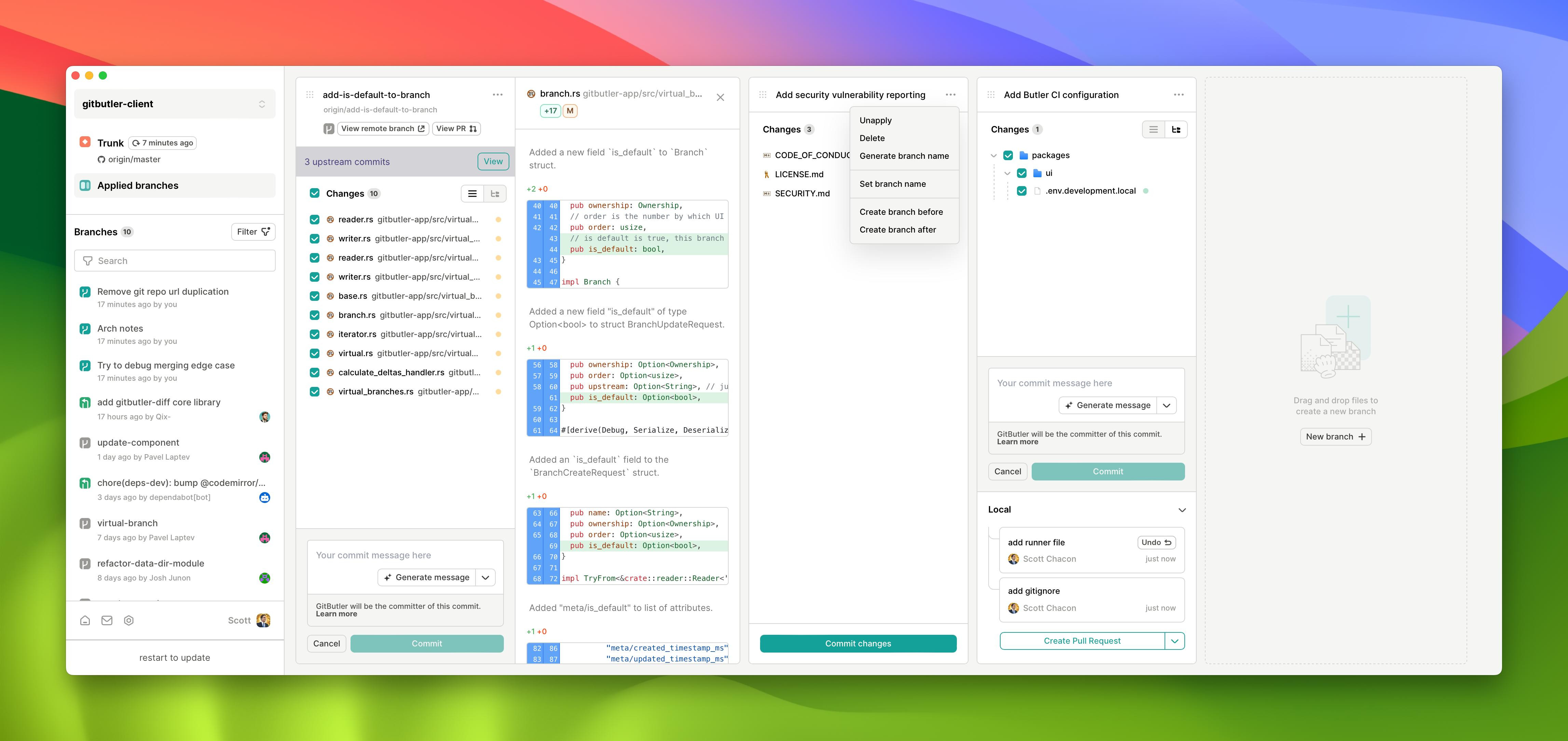
GitButler's virtual branch system lets you work on multiple incomplete features simultaneously without the git stashing gymnastics that plague traditional workflows. Unlike GitHub Desktop or SourceTree, which force you to commit or stash changes before switching contexts, GitButler decouples your working directory from traditional git branches. I can have three different pull request drafts active with their own uncommitted changes, switching between bug fixes and feature development instantly. The drag-and-drop commit organization moves changes between virtual branches retroactively, reorganizing work streams without complex git commands.
Real-time Development Workflow
The Rust-based backend delivers sub-200ms response times for branch operations and file diff calculations, making virtual branch switching feel instantaneous. File watching uses native Windows APIs for efficient change detection without polling overhead. The visual commit graph shows real-time changes across multiple development streams with syntax highlighting for immediate code review. Smart merge preview displays exactly what happens when virtual branches combine, preventing conflicts before they reach remote repositories. This approach eliminates the context-switching costs that slow traditional git workflows.
Head-to-Head: Feature Comparison
| Aspect | DBeaver | GitButler |
|---|---|---|
| License | Apache 2.0 (open source) | FSL → Apache 2.0 (open source) |
| Platforms | Windows, macOS, Linux | Windows 10/11 only |
| Primary protocols | JDBC, SQL dialects, NoSQL | Git, SSH |
| Memory footprint | 500MB for 100K rows | 150MB for large repositories |
| Installation size | 180MB + drivers | 120MB |
| Language support | SQL variants, PL/SQL, JSON | Syntax highlighting only |
| Integration ecosystem | Plugin marketplace | Git hooks, external diff tools |
| Learning curve | Moderate (SQL knowledge required) | Low (git familiarity helpful) |
The platform limitation stands out most significantly—GitButler's Windows-only availability restricts cross-platform development teams, while DBeaver runs identically across all major operating systems through Java. DBeaver's thorough database protocol support serves data-heavy workflows, whereas GitButler's git specialization targets version control innovation.
Verdict by Use Case
- Multi-database analysis and reporting → choose DBeaver because it connects to 80+ database types through a single interface with SQL autocomplete and export capabilities
- Concurrent feature development on Windows → choose GitButler because virtual branches enable parallel work on incomplete features without git stashing conflicts
- Database migration and schema comparison → choose DBeaver because its comparison tools identify structural differences and generate migration scripts between different database systems
- Long-term git workflow optimization → choose GitButler because the virtual branch innovation eliminates context-switching overhead, though open source licensing ensures you won't face vendor lock-in as the tool matures
Common Questions
Q: Can DBeaver replace vendor-specific database tools like MySQL Workbench?
A: DBeaver provides broader database compatibility but trades some specialized functionality for universality. MySQL Workbench offers deeper MySQL-specific features like server administration and performance monitoring that DBeaver lacks. However, DBeaver's consistent interface across database types reduces the learning curve when working with multiple database vendors, making it superior for heterogeneous environments requiring Windows, macOS, and Linux support.
Q: Does GitButler work with existing git repositories and CI/CD pipelines?
A: GitButler integrates with existing git repositories without modifying standard branch structures or commit history. Virtual branches map to real git branches during pull request creation, maintaining compatibility with GitHub Actions and CI/CD pipelines. The tool respects .gitignore files and git hooks for linter integration with ESLint or language-specific tools, but requires Git for Windows 2.40+ as a prerequisite since it depends on system git binaries rather than bundling its own implementation.