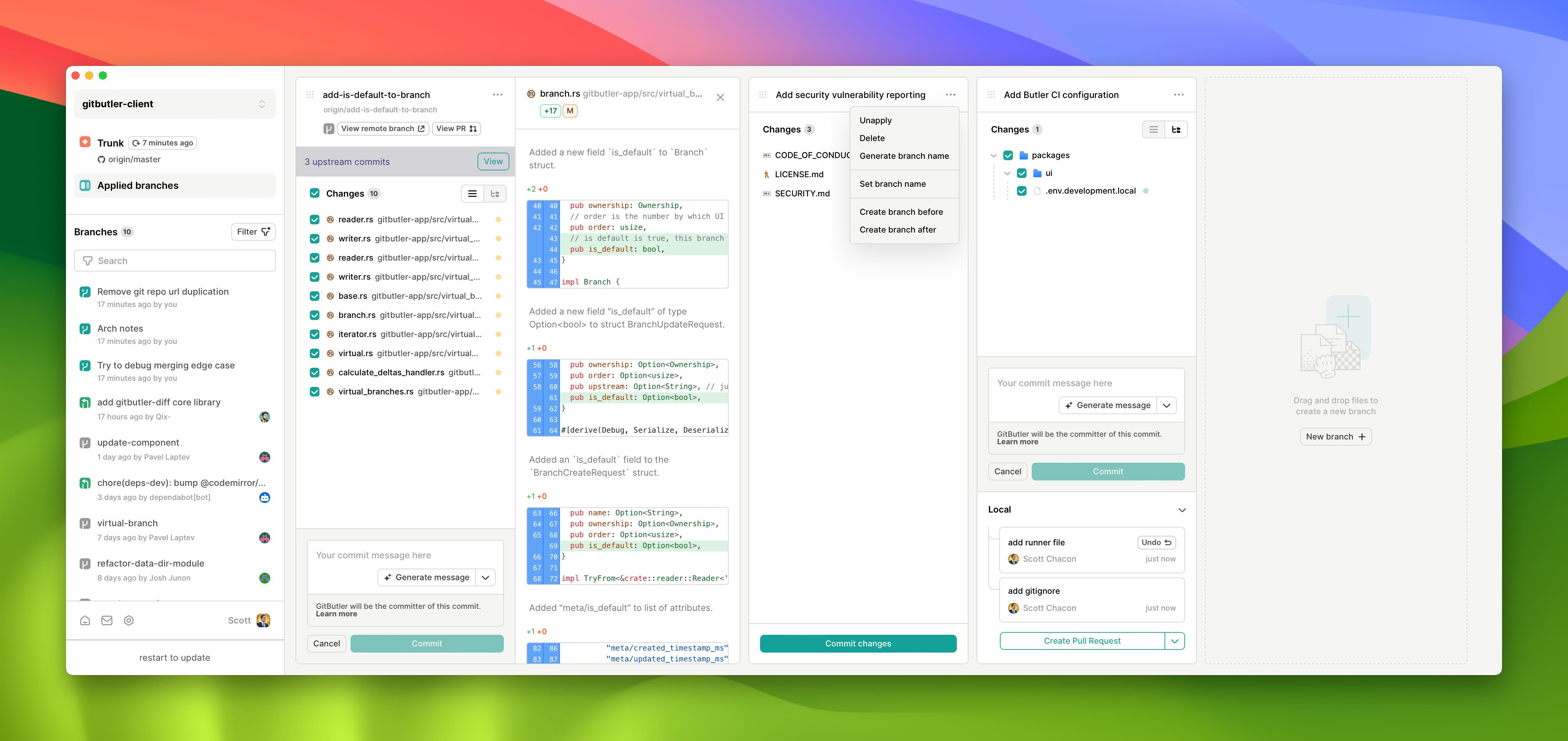
Is Gitbutler Safe
Yes, GitButler 0.19.9 is safe to use as a visual Git client. The open source software includes legitimate Authenticode signatures from GitButler Inc and contains no bundled adware or tracking components. GitButler operates with standard git protocols without proprietary modifications that could compromise your repositories.
Security Foundation and Licensing
Open source licensing provides transparency through publicly available source code on GitHub. The FSL license transitions to Apache 2.0 after two years, permitting unrestricted commercial use. Security audits can examine the codebase directly, unlike closed-source alternatives.
The Windows installer includes proper digital signatures that verify authenticity during installation. No third-party software bundles accompany the download. Rust's memory safety guarantees protect against common vulnerabilities like buffer overflows that plague C/C++ applications.
Regular dependency scanning updates address security issues automatically. The development team maintains active security practices through automated vulnerability detection.
Is GitButler Safe for Production Use?
This developer tools application connects to GitButler servers for collaboration features but operates offline for local repositories. Virtual branch management happens locally without transmitting sensitive code to external services. Standard git operations use HTTPS and SSH protocols identical to other git clients.
Virtual Branch Technology
Virtual branches enable simultaneous work on multiple features without traditional branch switching. You can maintain three different pull request drafts with uncommitted changes in each virtual workspace. This eliminates stash requirements when context-switching between bug fixes and feature development.
The technology modifies git's working directory presentation rather than repository structure. Your actual git history remains untouched, maintaining compatibility with GitHub Desktop, SourceTree, and command-line git tools.
Comparison with Established Alternatives
GitHub Desktop excels at simple workflows but requires stashing or committing before branch switches. SourceTree provides thorough git operations and complex repository visualization that GitButler lacks. However, neither competitor offers virtual branch functionality for parallel development streams.
GitButler sacrifices broad git feature coverage for specialized multi-context workflows. While SourceTree handles larger repositories more efficiently, it cannot match GitButler's innovation in branch management. The trade-off favors developers who frequently juggle multiple incomplete features.
Network Security Considerations
Server connections use encrypted channels for collaboration features. Local repository operations never transmit code externally unless you explicitly push commits. The application works entirely offline for developers preferring isolated workflows.
Authentication tokens follow standard OAuth patterns without storing credentials in plain text. Remote repository access uses the same SSH keys and HTTPS methods as traditional git clients.
Installation Safety Verification
The Windows installer downloads from official GitButler servers with certificate verification. File integrity checks confirm authentic software delivery. No registry modifications affect system stability beyond standard application installation patterns.
Uninstallation removes all components cleanly without leaving orphaned files. The software respects Windows security policies and requires standard user permissions rather than administrator access for daily operations.
Regular updates deliver through secure channels with signature verification. Free licensing terms ensure continued access without subscription dependencies that could compromise long-term repository access.
So is GitButler safe? Yes, with proper open source transparency, signed executables, and standard git protocol compliance ensuring repository security.
Compare GitButler Head-to-Head
More GitButler Guides
Explore Developer Tools
Browse all developer tools on BigForkSteering. Also see Open Source software and Windows options.