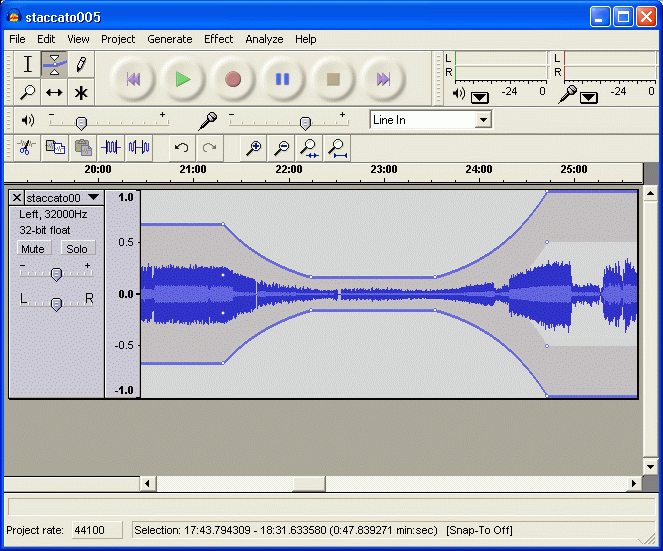
Audacity
Cross-platform open-source audio editor and recorder for multi-track recording, editing and effects processing.
Whether you need a video player that handles every format without hunting for codecs, an audio editor for podcast production, a photo editor with professional layer support, or a screen recorder that streams to YouTube — the BigForkSteering multimedia catalogue has it covered. Every program is reviewed first-hand and links directly to the developer’s official download page. No bundled installers, no adware, no wrappers.
Cross-platform open-source audio editor and recorder for multi-track recording, editing and effects processing.
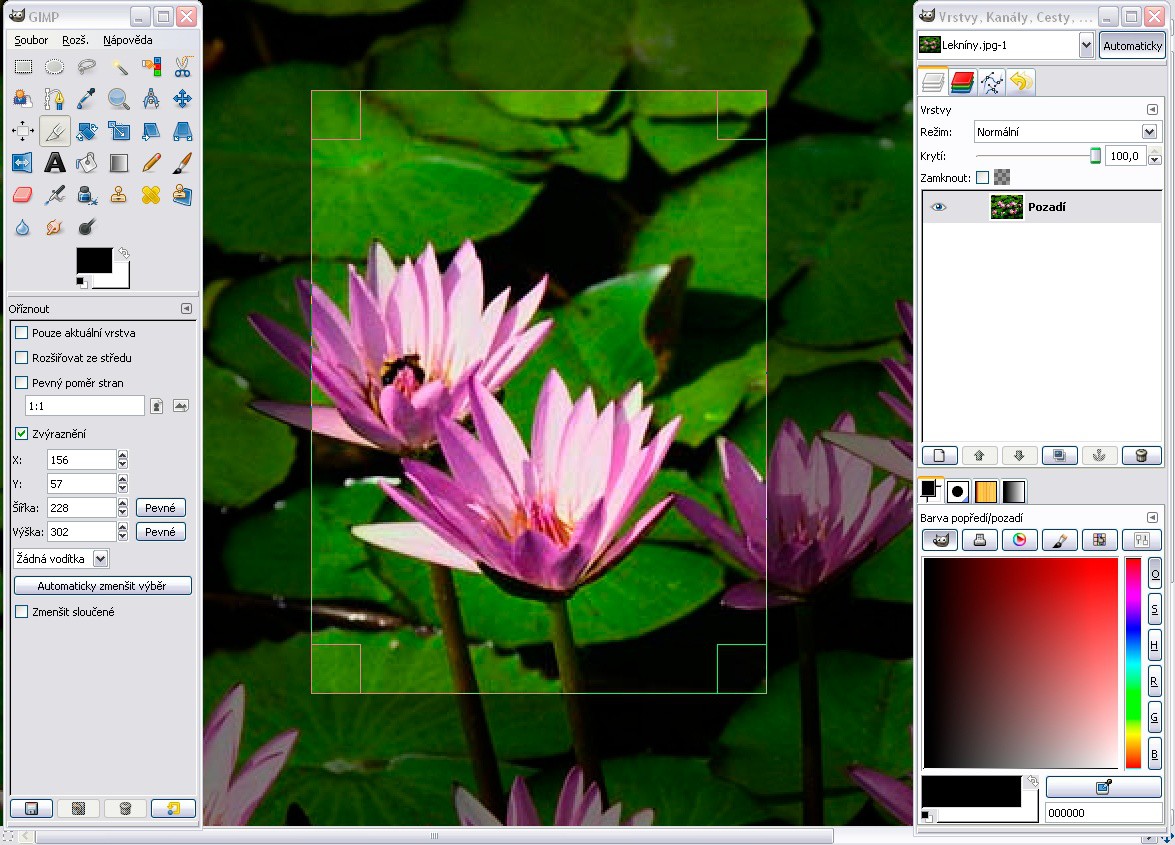
Professional bitmap image editor offering advanced photo manipulation and graphic design tools for Windows users.
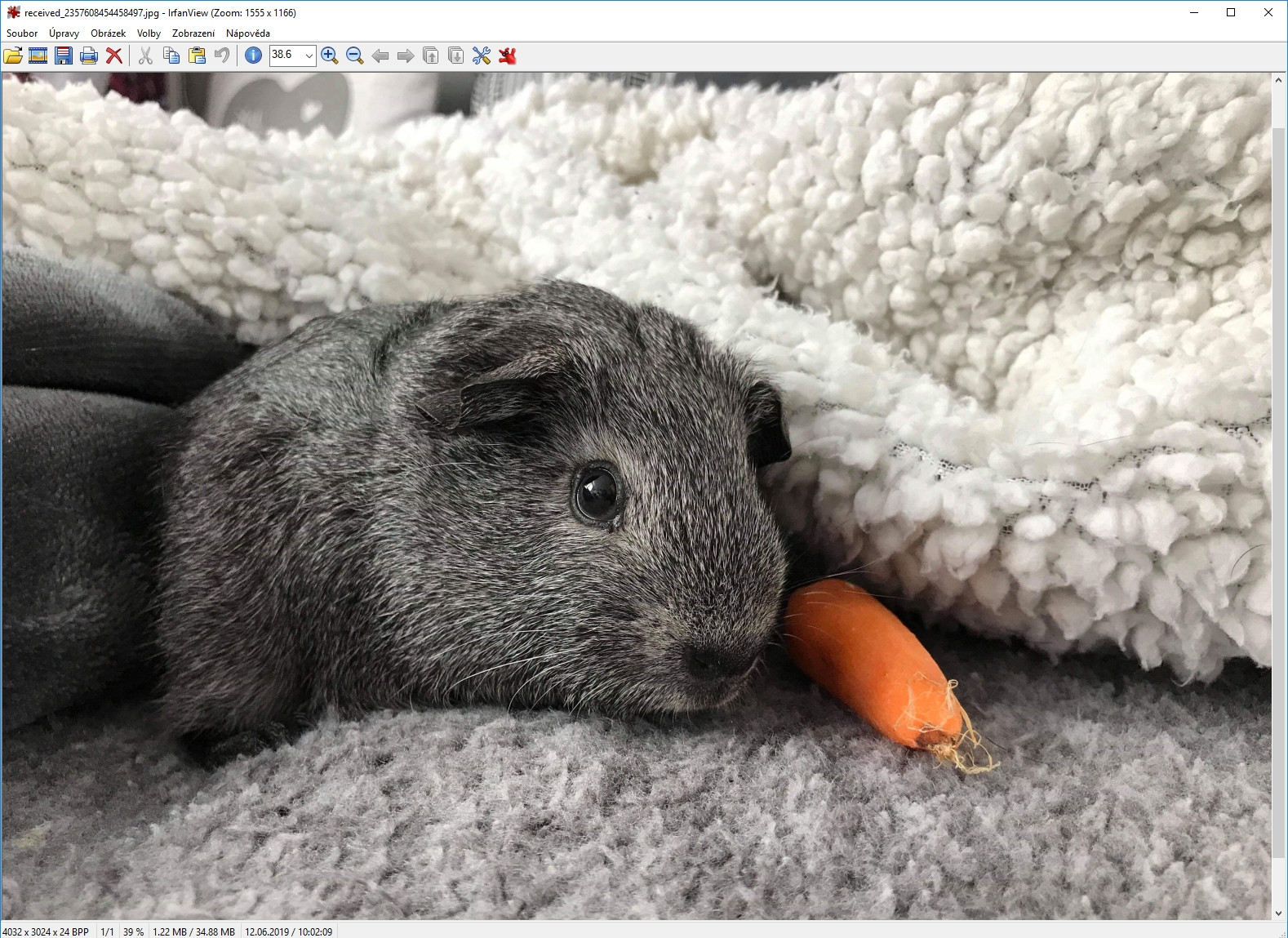
Lightweight Windows image viewer supporting 40+ formats with batch conversion and slideshow capabilities.
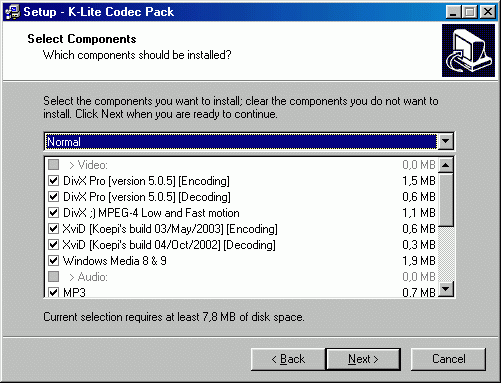
thorough codec collection enabling smooth playback of AVI, MKV, MP4, FLAC and dozens of multimedia formats.
Cross-platform open-source media player supporting hundreds of audio and video formats with streaming capabilities.
The multimedia software category is one of the most crowded in desktop computing, which makes finding the right tool harder than it should be. Search for "free video player" and you will wade through results mixing the one genuinely good option with a dozen sites that serve the same search term but redirect to bundled installers full of browser hijackers. Search for "free audio editor download" and the top results often belong to freemium products whose headline features are locked behind a subscription.
BigForkSteering's multimedia section cuts through that by applying a consistent standard: every tool listed here is installed and tested before it appears in the catalogue, every download link goes to the developer's own page, and the installation process is monitored for any undisclosed modification to your system. The result is a curated collection of genuinely useful free multimedia software — from the tools that millions of people use every day (VLC Media Player, Audacity, GIMP, OBS Studio) to specialist utilities that rarely show up on mainstream lists but solve real problems for photographers, podcasters, video editors and audio engineers.
The section covers six core disciplines: video players and media centres, audio software, photo and image editors, video editors and converters, screen recorders and capture tools, and codec packs with media utilities. Each discipline has its own filter in the navigation above. The platform filters narrow results to Windows, Mac or Linux; the licence filters separate freeware from open source tools.
The best free video players do one thing better than any paid alternative: they play any file you throw at them without a trip to a codec download page. Modern video content arrives in containers and codecs that the built-in Windows Media Player and macOS QuickTime do not handle natively — MKV with embedded ASS subtitles, HEVC (H.265) encoded at 10-bit, AV1 streams from YouTube, VP9 in WebM, MPEG-2 Transport Stream recordings from digital TV tuners, and legacy formats like DivX, Xvid, RealMedia and Flash Video (FLV) that still circulate on older hard drives.
A first-rate free media player handles all of these through built-in demuxers and decoders, uses hardware acceleration (DXVA2 and Direct3D 11 on Windows 11, VideoToolbox on macOS, VAAPI and VDPAU on Linux) to keep CPU usage low during 4K playback, and supports audio pass-through for Dolby TrueHD and DTS-HD Master Audio on home theatre setups. Subtitle handling matters too: SRT, ASS/SSA, PGS from Blu-ray disc, and automatic subtitle download from OpenSubtitles through a built-in extension all belong in a complete media player.
Free video editing software has undergone a genuine step-change in capability over the past five years. Professional non-linear editors (NLEs) that would have cost hundreds of dollars annually are now available free — DaVinci Resolve's free tier includes a full colour grading suite, multi-camera synchronisation, Fusion visual effects and a Fairlight audio engine. Kdenlive, a fully open source NLE for Windows, Mac and Linux, supports multi-track timelines, keyframe animation, audio filters and direct export to common formats including MP4 (H.264), MKV (H.265) and WebM (VP9).
For format conversion rather than creative editing, HandBrake remains the benchmark free video converter — it encodes to H.264, H.265 and AV1 using hardware acceleration (NVENC on NVIDIA, AMF on AMD, Quick Sync on Intel, VideoToolbox on Apple silicon), processes batch queues, and has preset profiles for smartphones, streaming platforms and web delivery. FFmpeg underlies most of these tools and is available as a standalone command-line converter for users who need programmatic batch processing. Output formats across these tools cover MP4, MKV, MOV, AVI, WebM, FLV, TS and more.
Audio software divides cleanly into three tiers: playback, editing, and full digital audio workstation (DAW) production. Each tier has strong free and open source options that match or exceed paid alternatives in everyday use.
The best free music players for Windows handle FLAC, MP3, AAC, OGG Vorbis, ALAC, Opus and WAV natively, without transcoding to a lossy format on playback. foobar2000 is the long-standing benchmark for audiophile-oriented free music player software — a highly customisable player with gapless playback, ReplayGain volume normalisation, DSP plug-in support, Last.fm scrobbling and a component library that adds everything from lyrics display to advanced album art management. For a more immediately polished interface, MusicBee combines a solid playback engine with smart playlist generation, podcast management, party mode and a built-in sound equaliser with a 10-band graphic EQ and DSP presets.
Audacity is the most widely downloaded free audio editor across all platforms — Windows 11, macOS Sequoia and Linux — with multi-track recording, non-destructive editing, spectral analysis, noise reduction, click repair, pitch correction, vocal removal and a VST/VST3 plug-in host. It exports to WAV, MP3, FLAC, OGG Vorbis, AIFF, OPUS and M4A, and handles 32-bit float audio for professional broadcast workflows. Recording quality is determined by your audio interface; Audacity supports ASIO on Windows for sub-10 ms monitoring latency with a compatible interface.
For full DAW functionality — virtual instruments, MIDI sequencing, sample-based production — LMMS (Linux MultiMedia Studio, now fully cross-platform) provides a free open source environment with a built-in beat+bassline editor, piano roll, instrument rack with bundled synths, and VST2 plug-in support on Windows and Linux. Free audio converters like fre:ac handle batch conversion between MP3, AAC, FLAC, OGG, WMA and lossless formats with optional metadata tagging during conversion.
Most format-related playback problems stem not from missing software but from missing decoders. A minimal, clean codec pack installs the specific decoders needed by DirectShow-based players and video editors without overwriting system components. Quality codec packs ship only proven, actively maintained open source decoders and include a configuration utility to enable or disable individual codecs — avoiding the stability conflicts that bloated legacy packs introduced. MediaInfo is an essential companion utility: it reads any media file and reports container format, video codec, bitrate, colour space, HDR metadata (HDR10, Dolby Vision), audio channels and subtitle streams — essential when troubleshooting playback or conversion issues.
A good free image viewer is one of the most impactful tools a photographer can install: fast loading times across directories of thousands of files, smooth pan-and-zoom at high DPI, and reliable RAW format decoding covering Canon CR3, Nikon NEF and Z-series RAW, Sony ARW, Fujifilm RAF, Olympus ORF, Panasonic RW2, Leica DNG and over 100 other camera-native formats. IrfanView is the benchmark for Windows: near-instant file loading, full RAW decoding via plug-ins, batch conversion and renaming, a lightweight slideshow mode and lossless JPEG rotation. XnView MP extends the same concept cross-platform — Windows, Mac and Linux — with a catalogue-style browser, colour management, metadata editing and format conversion between JPEG, PNG, TIFF, WebP, AVIF and RAW.
GIMP (GNU Image Manipulation Program) is the most capable free photo editing software available — a fully open source raster editor with layers, layer groups, adjustment layers, masks, healing and clone brushes, curves, levels, hue-saturation, colour balance, perspective correction, and script-based batch processing through Script-Fu and Python-Fu. The 2.10 and 3.x branches add high-bit-depth editing (16- and 32-bit per channel for HDR workflows) and improved colour management with ICC profile support. For non-destructive RAW photo processing, RawTherapee is a free open source alternative to Lightroom: it edits Canon, Nikon, Sony and other manufacturer RAW files with exposure, white balance, noise reduction, sharpening, tone curves and automatic lens correction, then exports to TIFF or JPEG at any quality setting.
Inkscape is the leading free and open source vector graphics editor — the go-to alternative to Adobe Illustrator for SVG-based design work. It handles logo design, icon creation, technical illustration, typography, web graphics and print-ready artwork at any output resolution. The tool supports SVG 1.1 fully, imports and exports PDF, EPS, EMF, WMF and DXF, and includes node editing, Boolean path operations, gradient meshes, pattern fills and a live path effects system. Inkscape runs on Windows, Mac and Linux, with native ARM64 builds available for Apple silicon and Windows on Snapdragon. For 3D and animation work, Blender is a free open source suite covering 3D modelling, sculpting, rigging, animation, simulation, rendering (Cycles and EEVEE), video compositing and a full video sequence editor — used in professional film and game production worldwide.
OBS Studio (Open Broadcaster Software) is the undisputed standard for free screen recording software. It is completely open source, records without watermarks or time limits at any resolution and frame rate, captures system audio and microphone simultaneously, supports scene switching between multiple sources (screen regions, webcam, game capture, browser source, image overlays), and streams directly to YouTube Live, Twitch, Facebook Live or any custom RTMP endpoint. Output formats include MP4, MKV and FLV with configurable bitrate — from a few Mbps for tutorial recordings to 50+ Mbps for lossless game capture. OBS Studio runs on Windows 10/11, macOS and Linux.
ShareX is a free, open source Windows screen capture and recording tool that goes beyond basic capture: it records video in MP4 and GIF, annotates screenshots with arrows, text and blur tools, performs scrolling capture of web pages, includes a colour picker, an image editor, an OCR scanner and a URL shortener — all in one application. For users who need a simpler tool with a lower learning curve, several lightweight free screen recorders in the catalogue handle the core use case — region selection, audio mixing and direct MP4 export — without OBS's configuration depth.
The majority of free multimedia software in this section targets Windows as the primary platform, but the strongest tools are genuinely cross-platform. VLC, Audacity, GIMP, HandBrake, Kdenlive, Inkscape, Blender and OBS Studio all maintain Windows 11, macOS and Linux builds with comparable feature sets.
For Windows 11 users on ARM64 hardware (Surface Pro, Snapdragon X Elite and Plus devices), native ARM64 builds are increasingly available — VLC and GIMP both ship ARM64-native Windows packages. For macOS users on Apple silicon (M1 through M4), VideoToolbox hardware acceleration makes a significant difference to video conversion and playback performance — look for universal binary builds that explicitly note Apple silicon support rather than running through Rosetta 2. For Linux users, Flatpak and AppImage distributions of multimedia tools avoid dependency conflicts across distributions — OBS Studio, Kdenlive and GIMP are all available as Flatpaks on Flathub.
Cross-platform compatibility notes are included in each listing. When a free multimedia tool has a meaningfully different feature set on one platform compared to another — for example, a Windows-only codec pack or a macOS-exclusive plugin — the review makes this explicit so you know before downloading.
The multimedia category has enough depth that two tools solving "the same problem" can be very different products. A few questions that help narrow the choice quickly:
Output format matters for your workflow. If you edit in one tool and deliver to another — for example, recording in Audacity and mixing in a DAW — confirm that both sides handle the same formats and bit depths. MP3 is lossy and degrades with each re-encode; working in WAV or FLAC throughout a production workflow and only converting to MP3 at the final export step preserves quality. Similarly for video: editing in a high-quality intermediate codec (ProRes, DNxHD, even high-bitrate H.264 intra) and encoding to distribution H.265 at the end produces better results than working in a heavily compressed delivery codec throughout.
Performance scales with hardware differently across tools. GPU-accelerated video converters like HandBrake can encode H.265 at 10x real-time on a GPU but only 1–2x on a CPU — on older hardware without hardware encoding support, a GPU-dependent tool delivers no advantage. Photo editors with OpenCL or Metal GPU acceleration (GIMP 3.x, RawTherapee) are meaningfully faster on machines with a capable graphics card.
Open source tools are updatable by the community. When a new camera model ships with a new RAW format, when a streaming platform changes its supported codecs, or when a new OS version breaks compatibility, open source tools get fixes faster through community contributions. Freeware tools depend entirely on the developer's schedule. For tools you will rely on professionally — RAW processing, multi-track audio recording, video production — this maintenance cadence is worth factoring into your choice. Browse both licence types through the freeware and open source filters.
For side-by-side comparisons of specific tools in the multimedia category — VLC vs MPC-HC, Audacity vs Ocenaudio, GIMP vs Krita — visit the comparisons section. If you are looking for a free replacement for a specific paid multimedia tool, the alternatives section is organised around the program you are moving away from.
It depends on your use case. For video playback, VLC Media Player handles every format — MKV, HEVC, AV1, AVI, MP4 — natively on Windows 11 x64 and ARM64. For audio editing and podcast production, Audacity is the most downloaded free multi-track editor with VST plug-in support. For photo editing, GIMP provides professional layer-based editing with RAW import. For screen recording, OBS Studio records without watermarks or limits. All are listed in the Windows multimedia section.
Yes — several strong options export without watermarks. DaVinci Resolve (free tier) is a full professional NLE with colour grading and no output restrictions. Kdenlive is open source, cross-platform, and exports to MP4, MKV, WebM and more at any resolution without a watermark. HandBrake converts video to H.264, H.265 and AV1 with no watermark or file-size limits. All are available through the free multimedia section.
Audacity is the standard free audio editor for podcast recording — multi-track capture, noise reduction, compressor, export to MP3 and WAV, available on Windows, Mac and Linux. It is open source under the GPL licence, so the code is publicly auditable. For more advanced music production with virtual instruments and MIDI, LMMS is a free open source DAW that supports VST plug-ins on Windows and Linux.
IrfanView (Windows freeware) decodes Canon CR3, Nikon NEF, Sony ARW and 60+ other RAW formats near-instantly. RawTherapee is a free open source RAW processor for Windows, Mac and Linux with non-destructive editing, custom colour profiles and batch export to TIFF and JPEG. GIMP handles RAW import via the UFRaw plug-in for full raster editing after conversion. Browse the photo editing tools for a complete list.
Yes, OBS Studio is completely free, open source under the GPL licence, and adds no watermark or time limit to recordings. It records to MP4 and MKV at any bitrate, streams to YouTube Live, Twitch and custom RTMP servers, supports scene switching, webcam overlay and annotation, and runs on Windows 11/10, macOS and Linux — all at zero cost.
For lossless or near-lossless conversion, HandBrake supports hardware-accelerated encoding to H.264, H.265 and AV1 with configurable quality settings (CRF mode). For a completely lossless container remux — changing from MKV to MP4 without re-encoding — MKVToolNix moves streams between containers without any quality loss at all. Both are free, open source and available through the multimedia section. Output format matters: H.265 at the same visual quality as H.264 produces files roughly 40% smaller.
Yes. Use the platform filters above the software grid to filter to Mac or Linux. Many of the most important free multimedia tools — VLC, Audacity, GIMP, HandBrake, Kdenlive, Inkscape, Blender and OBS Studio — are fully cross-platform. macOS listings note Apple silicon native support; Linux listings note Flatpak, AppImage and Snap availability. A small number of tools are Windows-only and are labelled accordingly.