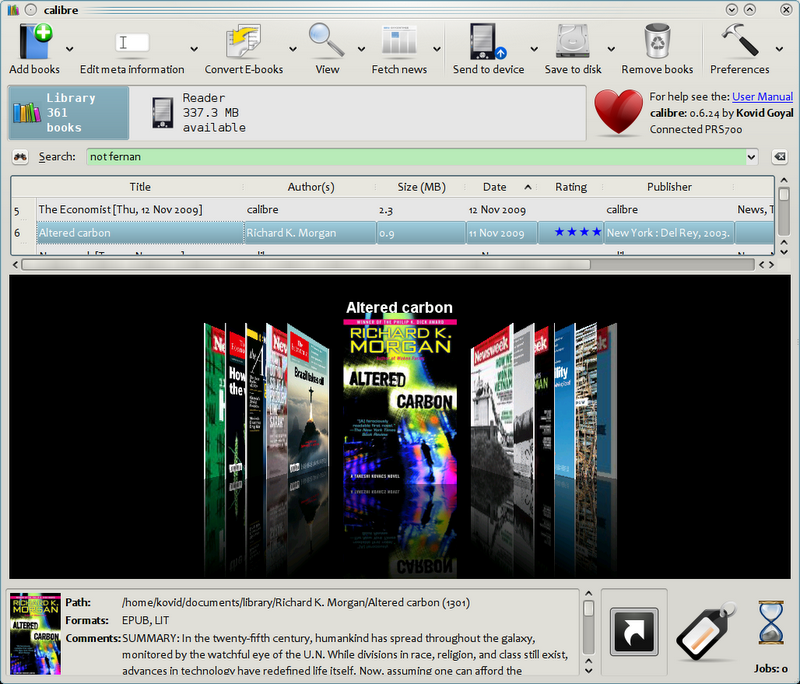
Calibre
thorough ebook management suite that converts between 20+ formats including EPUB, MOBI, PDF and maintains metadata libraries.
Looking to download a console emulator, set up a unified game launcher for your entire library, find the right modding tool for your favourite game, or read e-books in a format your reader supports natively? The BigForkSteering games & entertainment catalogue is built around the infrastructure of games rather than the games themselves — emulators, launchers, mod managers, ROM tools, e-book readers and hobby software, all reviewed first-hand and downloaded direct from the developer's official source.
thorough ebook management suite that converts between 20+ formats including EPUB, MOBI, PDF and maintains metadata libraries.
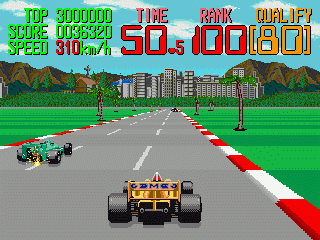
Multi Arcade Machine Emulator that runs classic DOS and arcade games on modern Windows computers.
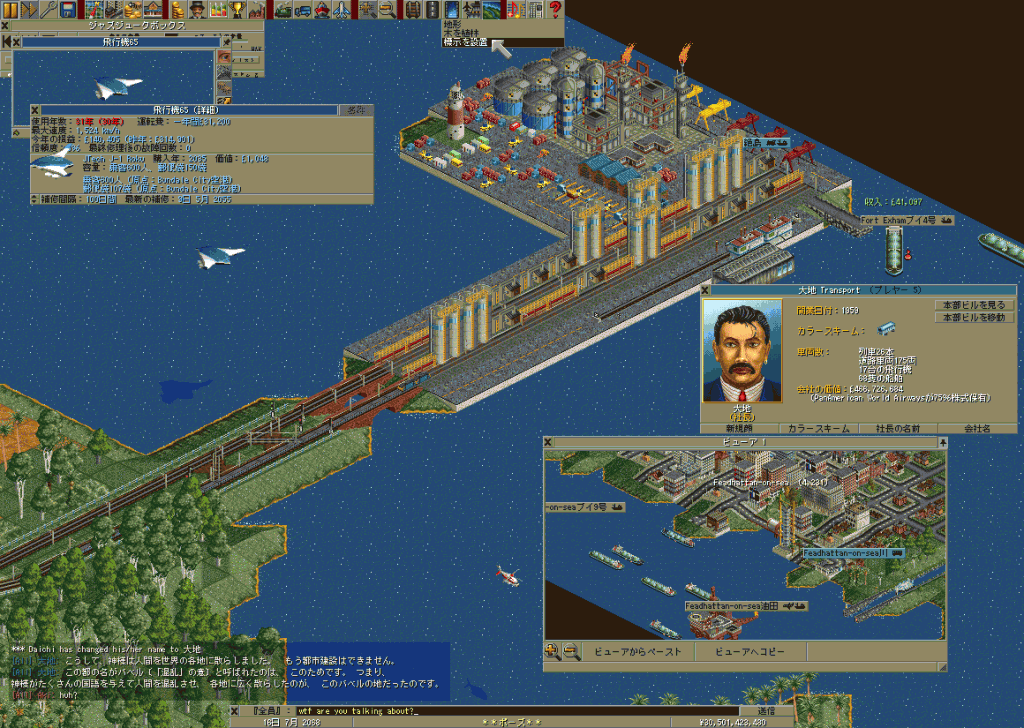
Open-source transport simulation game recreating Transport Tycoon Deluxe with modern multiplayer support and enhanced graphics.
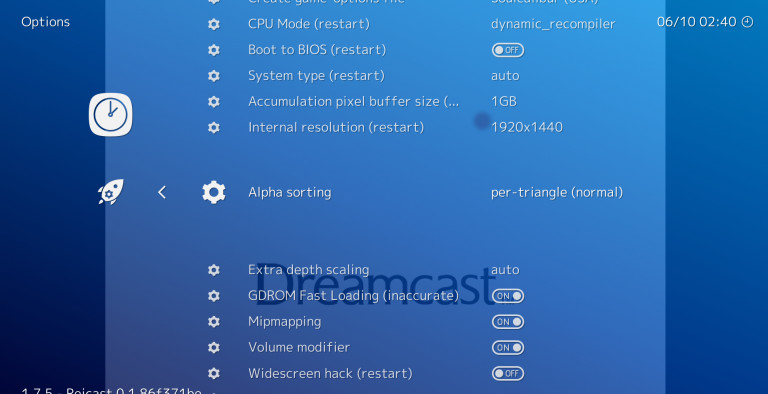
Multi-platform frontend for retro gaming emulators that runs classic console and arcade games through unified interface.
Classic adventure game emulator supporting 250+ titles from LucasArts, Sierra, Revolution Software and other studios.
The BigForkSteering games and entertainment section is focused on the software tools that surround gaming and digital entertainment rather than game titles themselves. Whether you want to play your classic game collection through a console emulator, organise every game you own across multiple platforms in one launcher, customise your favourite PC game through modding tools, read your e-book library in a capable desktop reader, or set up a media centre for your living room PC — this catalogue covers the utilities that make it possible. Every listing is reviewed first-hand with a direct link to the developer's official download page. No bundled installers, no adware, no intermediate download managers.
The section spans seven sub-categories: console and platform emulators, game launchers and library managers, ROM managers and emulator frontends, modding and game customisation tools, e-book and digital reading software, media centre applications, and hobby and educational software. Each sub-category is browsable through the filters above, with platform and licence filters to narrow results to Windows, Mac or Linux builds and to freeware or open source licences.
Console emulators are among the most downloaded types of entertainment software for PC, covering hardware ranging from 8-bit systems of the early 1980s through to seventh and eighth-generation consoles. A free emulator replicates the original console's hardware in software — its CPU, memory, graphics processor, audio chip and input system — allowing game software designed for that hardware to run on a standard Windows, macOS or Linux PC.
Emulation quality is measured by compatibility and accuracy. Compatibility refers to the percentage of a console's game library that the emulator runs correctly. Accuracy refers to how closely the emulator reproduces the original hardware timing and behaviour — cycle-accurate emulators reproduce the system at the level of individual clock cycles, ensuring that even hardware-exploiting game code runs as intended. Higher accuracy typically requires more processing power from the host PC. Most modern free emulators for older 8-bit and 16-bit systems achieve near-perfect compatibility and can run on any modest hardware; emulators for more recent console generations may require a mid-to-high-end CPU and GPU for full-speed emulation.
Beyond compatibility, free emulators add enhancements that go beyond the original hardware experience. Internal resolution upscaling renders the game at a higher resolution than the original display, removing the pixel aliasing visible on modern high-DPI monitors. Texture filtering and shader effects simulate the visual characteristics of CRT displays — including scanlines and phosphor glow — or apply modern anti-aliasing. Save states allow saving the exact emulator state at any point in a game, independent of the game's own save system. Rewind functionality lets players rewind gameplay by a configurable number of seconds. Netplay support enables online multiplayer over the original console's local multiplayer protocols, connecting players across the internet in games designed for same-room play.
Multi-system emulator frontends aggregate multiple individual emulators behind a single unified interface. Rather than launching a separate emulator application for each console system, a frontend provides one consistent UI for browsing and launching your entire game library across all supported systems. The frontend handles emulator configuration, game metadata scraping (artwork, descriptions, genre, release year from online databases), controller mapping, and — in the most capable free frontends — shader and display settings per system. Game files are typically organised as ROM collections or disc image archives; the frontend points to these directories and builds a browsable catalogue from their contents.
Android emulators for PC extend the entertainment category to mobile games and applications, running the Android operating system in a virtualised environment on a Windows PC. These are particularly used for playing Android-exclusive games on a larger screen with keyboard, mouse and gamepad support, or for running Android applications not available as native PC software.
ROM managers are specialist utilities for maintaining emulator game collections — verifying that ROM files match known-good dumps against community-maintained databases, renaming files to standard naming conventions, identifying missing titles from a complete set, and flagging incorrect or corrupted files. The most widely used ROM database format is the DAT file, maintained by ROM preservation groups and emulator developers; a ROM manager compares your local collection against the DAT and reports what you have, what is missing, what is incorrectly named and what is verified good.
Disc image management tools handle the ISO, CHD, BIN/CUE and other formats used for CD-ROM, DVD and Blu-ray based console games. CHD (Compressed Hunks of Data) is a compressed disc image format developed by an open source arcade emulation project that significantly reduces storage requirements for disc-based game collections; tools that convert standard ISO and BIN/CUE images to CHD are commonly used alongside emulators that natively support the format. Patch management utilities apply IPS, BPS and xdelta format patches to ROM files — the standard distribution format for fan translations, bug fix patches and romhacks that modify the original game data.
A game launcher consolidates your entire PC game collection into a single interface regardless of where each game was purchased or installed. PC gamers typically accumulate libraries across multiple digital distribution platforms — each requiring its own launcher application to play those titles. A free game library manager imports games from all installed platforms simultaneously, adds locally installed games and emulated titles, scrapes metadata and box art from community databases, and provides a unified interface for browsing, launching and organising the full collection.
Library management features include genre and platform filtering, playtime tracking, custom categories and tags, and per-game notes. Advanced free launchers support theming and custom interfaces — replacing the default grid or list view with a custom-designed UI — which appeals to home theatre PC setups where the launcher is displayed on a television and navigated with a controller rather than keyboard and mouse. Controller navigation with a 10-foot interface design is a specific feature category in game launcher software, separate from the standard desktop-oriented navigation model.
Some free game launchers include their own game store or curated catalogue of free-to-play and freeware games, allowing both library management for owned games and discovery of new free titles from the same application. Open source game launchers are fully self-contained without any account requirement or cloud dependency — your library data stays local.
Game modding tools cover the software used to create, install and manage user-made modifications for PC games. The modding ecosystem has grown substantially over the past decade: for many popular games, community-created mods extend the gameplay experience as significantly as official downloadable content, and in some cases the modding community has remained active years after official support has ended.
Mod managers handle the installation, organisation and activation of mods for a specific game. They manage file conflicts between mods that modify the same game assets, control load order (the sequence in which mods are applied, which determines which mod wins when two modify the same file), maintain a profile system for switching between different mod setups, and enable or disable individual mods without manually moving files. Free mod managers exist for most major moddable PC games and are typically developed by the modding community itself rather than the game developer.
Game asset extraction tools unpack the proprietary archive formats that games use to store their textures, models, audio files, scripts and other assets. Once extracted, assets can be inspected, replaced and repacked — the basis of texture pack replacements, model swaps and audio modifications. Script extenders expand the game engine's built-in scripting environment, exposing additional API functions that allow more capable mods to access engine features not available to standard scripts. Save editors allow reading and modifying game save files — changing character statistics, item quantities, earned content or progress flags — without modifying the game itself.
Free modding tools are almost universally developed and maintained by the modding community under open source licences, as commercial game developers rarely publish official tooling for third-party modification. Installation of free modding tools should always be done from the tool's official source repository or release page — the BigForkSteering catalogue links directly to these official sources to avoid modified versions distributed on unofficial channels.
Free desktop e-book readers handle the major e-book and document formats used for both commercially purchased and freely available digital books. EPUB is the dominant open standard for e-books, used by publishers, public libraries and open-access repositories worldwide; a capable free e-book reader renders EPUB with full stylesheet support, custom fonts, adjustable margins and reading progress tracking. MOBI and AZW3 are the Amazon Kindle formats; PDF is standard for technical books, academic papers and fixed-layout documents; plain text and HTML complete the core format coverage.
Comic book archive formats — CBZ (a renamed ZIP file) and CBR (a renamed RAR archive) — are the standard distribution formats for digital comics and manga, whether commercial releases or scanned collections. E-book readers that support CBZ and CBR with a page-spread view, double-page detection and zoom tools provide a complete digital comic reading experience. Free and open source e-book management software provides format conversion between EPUB, MOBI, AZW3, LIT, FB2 and others alongside library organisation, metadata editing and a built-in reader — available for Windows, macOS and Linux.
For readers managing large digital libraries, metadata management is as important as reading functionality: correct title, author, series, publication date and cover art allow meaningful organisation and browsing of collections with hundreds or thousands of titles. Free e-book management tools that can fetch missing metadata from online databases, deduplicate libraries, and sync with e-reader devices over USB or WiFi cover the full workflow from acquisition to reading.
Media centre software turns a PC connected to a television into a home theatre system — a complete entertainment hub for video playback, music, photos, live TV (with a compatible tuner), streaming services and gaming, controlled through a remote control or gamepad with a 10-foot interface designed for viewing from a sofa rather than a desk.
The core requirements for free media centre software are broad video format support (covering MKV, MP4, H.264, H.265, AV1, Dolby Vision, HDR10 and HDR10+), multi-channel audio output with pass-through support for Dolby Atmos and DTS:X, library organisation that scans local drives and network shares for video, music and photo collections, and metadata scraping from online databases for automatic artwork and synopsis. Live TV support through digital tuner cards (DVB-T, DVB-S, ATSC) allows watching and recording broadcast television. Streaming service plugins and add-ons extend coverage to online content within the same interface.
Free media centre software is also used without a television connection as a capable local media player and library organiser on a standard desktop PC — providing a more fully featured library experience than a basic video player. See also the multimedia section for standalone video players, audio players and media utilities that complement a media centre setup.
Beyond the main gaming-focused sub-categories, the games and entertainment section covers hobby and leisure software that does not fit neatly into the other BigForkSteering categories. This includes: chess engines and GUI frontends for playing against computer opponents or analysing games at any skill level; planetarium and astronomy software for visualising the night sky from any location and date; flight simulation utilities and add-on managers; tabletop role-playing game utilities including dice rollers, character sheet managers and virtual tabletop tools for online sessions; music creation and MIDI sequencing tools oriented towards hobbyists and game composers; and language learning applications and typing tutors.
Free chess software in particular spans a wide capability range, from beginner-friendly graphical interfaces to professional analysis tools used by tournament players, with free and open source chess engines that analyse positions at a level exceeding the strongest human players. Astronomy software with accurate star catalogues, deep sky object databases, telescope control interfaces and augmented reality features is available as free and open source for all three platforms. Both categories benefit from active communities that contribute databases, plugins and extensions to the core free applications.
The Windows games and entertainment section has the broadest selection, reflecting both Windows' position as the primary PC gaming platform and the larger community of developers building gaming utilities for Windows. Windows 11 x64 and ARM64 builds are differentiated in listings where relevant — ARM64 native emulator builds perform meaningfully better on Snapdragon-based Windows devices.
For macOS users, emulation software increasingly ships as universal binaries with Apple silicon native support, taking full advantage of the M-series performance cores for emulation workloads. Apple silicon Macs are capable emulation platforms for many console generations that would require a high-end Intel machine — this is noted in relevant emulator listings. E-book readers, media centre software and most entertainment utilities maintain full-featured macOS versions.
The Linux games and entertainment section covers the emulators and entertainment tools with native Linux builds. Many of the major open source emulators were developed with Linux as a first-class target and distribute through Flatpak on Flathub for consistent cross-distribution installation. For games on Linux directly — as opposed to emulated games — Steam's Proton compatibility layer allows running Windows games on Linux, which falls under the Steam client rather than the tools listed here. The modding tools sub-category is largely Windows-specific, reflecting that the most commonly modded games are Windows titles.
For comparisons of specific emulators covering the same console generation, or to find free alternatives to specific paid entertainment software, visit the comparisons section and alternatives section respectively.
A game emulator replicates a console's hardware in software — CPU, memory, graphics, audio and input — allowing game ROMs and disc images designed for that hardware to run on a PC. Modern free emulators add enhancements including internal resolution upscaling, save states, rewind, netplay and CRT shaders. Emulation accuracy ranges from best-effort compatibility to cycle-accurate reproduction of the original hardware timing. Browse the games and entertainment section with the emulator filter applied for current listings.
Free and open source emulators cover all major console generations. Older 8-bit and 16-bit systems (NES, SNES, Mega Drive, Game Boy) are very well emulated on any modern hardware. Fifth and sixth-generation systems (PS1, N64, PS2, GameCube, Wii) run well on mid-range hardware. Seventh-generation systems (PS3, Xbox 360, Wii U) require high-end hardware for full-speed emulation. Eighth-generation (Switch, PS4) emulation is actively developed with growing compatibility. All major handheld systems — GBA, DS, 3DS, PSP — are covered by capable free emulators.
Cycle-accurate emulation replicates original hardware at individual CPU clock cycle level, including timing-sensitive behaviour and hardware quirks that games relied on. It ensures near-perfect compatibility across a full game library, including titles that exploited hardware edge cases. The trade-off is significantly higher CPU requirements compared to less accurate emulators. Cycle accuracy matters most for complete-library compatibility, demoscene software, speedrunning where timing must match original hardware, and preserving the authentic original experience. For casual gaming of mainstream titles, high-compatibility-but-not-cycle-accurate emulators work well for most users.
A game launcher organises and launches your existing game collection from a single unified interface — regardless of which store or platform the games came from. It imports from multiple installed platforms simultaneously, adds local and emulated titles, and scrapes metadata and artwork from online databases. A game store sells and distributes games tied to your account. Free open source launchers need no account — your library data stays entirely local. Some free launchers include a curated catalogue of freeware games alongside library management for owned titles.
Mod managers install, organise and activate user-made game modifications, handling file conflicts and load order between mods that modify the same assets. Script extenders expand a game engine's scripting API for more complex mods. Asset extraction tools unpack game archives so textures, models and audio can be replaced. Save editors allow modifying game save data — items, stats, progress flags. Patch utilities apply IPS, BPS and xdelta patches — the standard format for fan translations and romhacks. Most free modding tools are community-developed and open source, available from community repositories linked directly from the BigForkSteering catalogue.
The main formats covered by capable free e-book readers: EPUB (the open standard used by publishers and libraries), MOBI and AZW3 (Amazon Kindle formats), PDF, plain text and HTML. Comic archive formats CBZ and CBR are supported by readers oriented towards digital comics and manga. Format conversion between EPUB, MOBI, AZW3, FB2, LIT and others is handled by free open source e-book management software. DRM-protected files from commercial stores require the store's own application — free readers handle DRM-free files only. Browse the entertainment section for current e-book reader listings.
Coverage varies by sub-category. Console emulators for older systems have strong macOS and Linux builds, with many available as Apple silicon native binaries. E-book readers and media centre software have full cross-platform support. Game launcher software has cross-platform options, though some are Windows-focused. Modding tools are largely Windows-specific as they depend on the target game's platform. Use the platform filters above the software grid to filter by your OS, and check listings for Apple silicon native support on Mac.