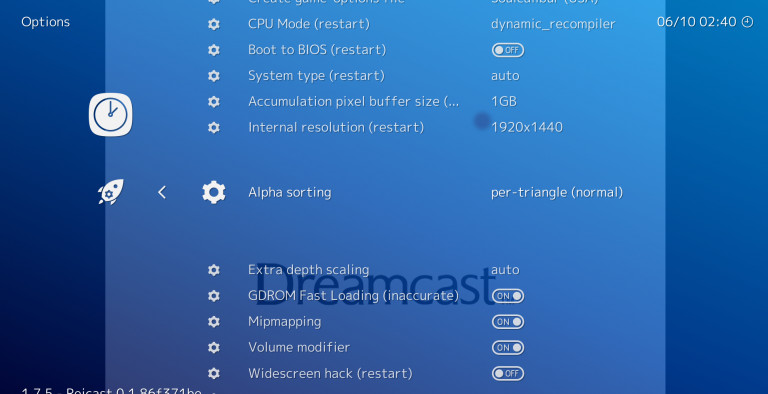
Is Retroarch an Emulator
No, RetroArch is not technically an emulator itself — is retroarch an emulator becomes clear when you understand it's actually a retro gaming frontend that manages multiple emulator engines called "cores" through one unified interface. Think of it as a launcher that coordinates dozens of separate emulation systems, from NES to PlayStation, without requiring individual emulator installations.
RetroArch 1.22.2 eliminates the headache of configuring separate programs for each console generation. Instead of hunting down standalone SNES, Genesis, and N64 emulators, you download cores through the built-in Online Updater found under Main Menu > Online Updater > Core Updater.
What RetroArch Actually Does
Multi-Platform Frontend Architecture
The architecture runs on libretro cores — modular emulation engines that plug into the main interface. Each core handles specific hardware: Snes9x for Super Nintendo, Genesis Plus GX for Sega systems, or Mupen64Plus for Nintendo 64 games. This approach standardizes features like save states, rewind functionality, and shader support across all systems.
You load ROMs through Load Content, select the appropriate core, and everything launches under RetroArch's consistent interface. No switching between different programs or learning multiple control schemes. This unified gaming solution handles classic console games from 8-bit arcade cabinets to modern handheld systems.
Advanced Gaming Features
Save state technology bookmarks any gameplay moment with F2, returning instantly via F4. Real-time rewind scrubs back 30 seconds without traditional checkpoint limitations. Achievement systems track progress with online leaderboard integration — assuming the game database includes your title.
Built-in netplay multiplayer connects friends over internet connections. The frame skip options maintain smooth performance on slower hardware, while Run-Ahead reduces input lag by pre-calculating future frames.
Open Source Benefits and Limitations
Cost and Development Model
Being an open source emulator, RetroArch costs nothing and receives regular updates from volunteer developers. Core libraries expand constantly, adding support for obscure systems and improving compatibility. You can examine source code, contribute fixes, or fork the project entirely.
However, this development model creates inconsistency. Some cores receive frequent updates while others languish for months. The interface prioritizes functionality over user-friendliness, requiring patience during initial setup.
Platform Support Reality
RetroArch runs on Windows systems plus macOS and Linux distributions. Mobile versions exist for Android and iOS, though iOS requires jailbreaking or sideloading. The question is retroarch an emulator often confuses users because smartphone app stores sometimes categorize it incorrectly.
Cross-platform save synchronization works through cloud storage integration. Controller support spans Xbox, PlayStation, and generic USB gamepads with automatic configuration for most hardware.
Installation and Configuration Process
Getting Started Efficiently
Download the installer from official sources, avoiding third-party bundles that include unwanted software. Windows 11 installation requires three opt-out screens for telemetry collection. The program launches clean without background services or system integration beyond file associations.
Initial setup involves downloading cores, configuring video drivers, and scanning ROM directories. The Database scanner automatically pulls game thumbnails and metadata when internet connectivity exists. Custom playlists organize libraries beyond alphabetical sorting.
For users wondering about the software's reputation, checking whether RetroArch maintains proper security standards helps address common concerns about downloading retro gaming software.
Final Assessment
So is retroarch an emulator in the traditional sense? No — it's a sophisticated frontend that orchestrates multiple emulation engines through unified controls and features. This architecture provides convenience at the cost of complexity, making it ideal for dedicated retro gaming enthusiasts rather than casual users seeking simple solutions.
The learning curve rewards patience with thorough classic console games support and advanced features like shader effects and achievement tracking. Consider alternatives if you prefer straightforward, single-system emulators over RetroArch's multi platform emulator approach.
Compare RetroArch Head-to-Head
More RetroArch Guides
Explore Games & Entertainment
Browse all games & entertainment on BigForkSteering. Also see Open Source software and Windows / macOS options.