DBeaver vs MySQL Workbench 8.0.47: At a Glance
DBeaver is the better choice for teams managing multiple database systems because it supports over 80 database types including PostgreSQL, Oracle, and MongoDB; MySQL Workbench 8.0.47 suits MySQL-focused environments because it provides visual schema modeling and deep MySQL server administration tools. Both programs serve as database clients with SQL editors featuring syntax highlighting and autocomplete, but target different workflows. DBeaver excels as a universal database management tool for heterogeneous environments, while MySQL Workbench 8.0.47 specializes in MySQL-specific development and administration tasks. The split comes down to whether you need broad database compatibility or MySQL-centric features like visual ER diagrams and server performance monitoring.
Where DBeaver Wins
Multi-Database Support
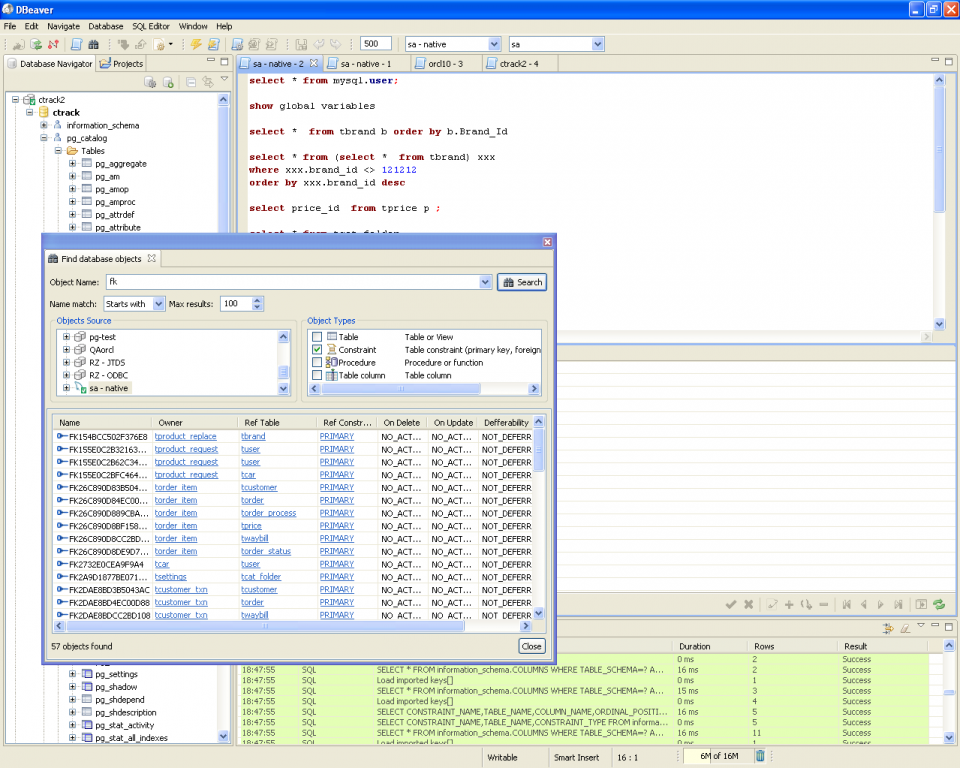
DBeaver connects to over 80 database systems including PostgreSQL, Oracle, SQLite, MongoDB, and Cassandra through a single interface, eliminating the need to learn vendor-specific tools. The universal approach means switching from MySQL to PostgreSQL requires no interface retraining—the same tabbed layout, SQL editor with intelligent autocomplete, and data browsing features work identically across database types. This consistency proves invaluable for development teams working across heterogeneous database environments where different projects use different backends.
Cross-Platform Consistency
The Java-based architecture delivers identical functionality across Windows, macOS, and Linux, with Apple Silicon Macs running native ARM64 builds for optimal performance. Configuration files sync smoothly between operating systems, allowing developers to maintain identical workflows regardless of their development machine. MySQL Workbench shows minor font rendering differences between platforms and requires platform-specific libraries, while DBeaver's Java foundation eliminates these inconsistencies entirely.
Where MySQL Workbench 8.0.47 Wins
Visual Schema Design
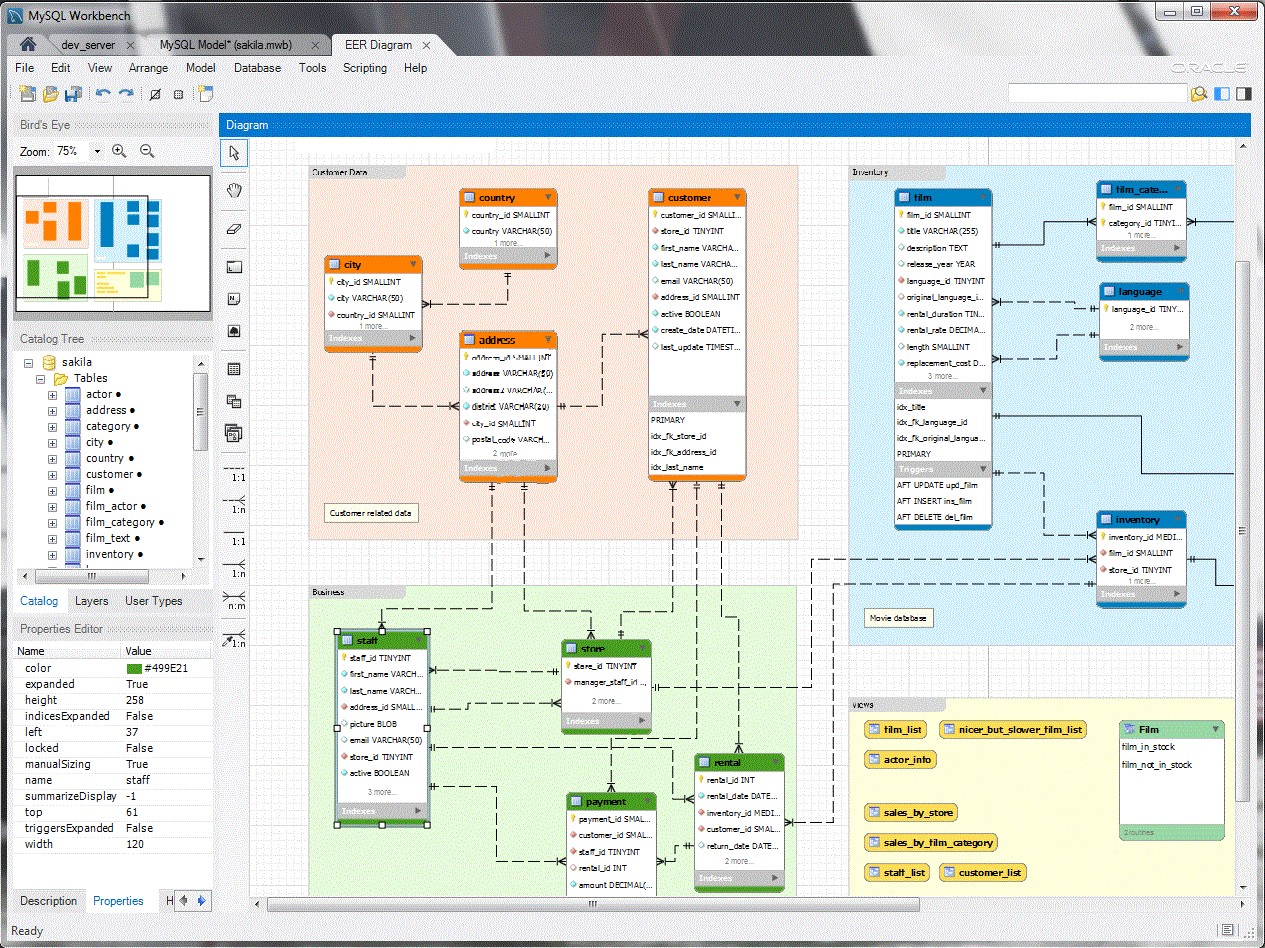
MySQL Workbench's drag-and-drop ER diagram generator creates professional database documentation automatically, reverse-engineering existing schemas into visual models within minutes. The tool detects foreign key relationships and generates CREATE scripts from visual designs, making it invaluable for database architects planning complex schemas. DBeaver lacks thorough visual modeling capabilities, offering only basic ER diagram viewing without the editing and forward engineering features that MySQL Workbench provides.
MySQL Server Administration
Deep MySQL server integration provides user management, performance monitoring dashboards, and server configuration tools that generic database clients cannot match. The Performance Dashboard tracks query execution times, connection counts, and memory usage in real-time, while the Server Administration panel manages MySQL users, privileges, and replication settings. These administrative features prove essential for database administrators managing production MySQL environments where server tuning and monitoring require specialized tools.
Head-to-Head: Feature Comparison
| Aspect | DBeaver | MySQL Workbench 8.0.47 |
|---|---|---|
| License | Apache 2.0 open source | GPL/Commercial dual license |
| Platforms | Windows, macOS, Linux (identical) | Windows, macOS, Linux (minor differences) |
| Database Support | 80+ systems (MySQL, PostgreSQL, Oracle, MongoDB) | MySQL only |
| Memory Usage | 500MB with large result sets | 200-400MB typical sessions |
| Visual Modeling | Basic ER diagram viewing | Full drag-drop schema design |
| Setup Time | 2-3 minutes including drivers | 5-10 minutes, requires MySQL Server |
| Query Performance | Limited by database server | Limited by database server |
| Learning Curve | Moderate (universal interface) | Easy for MySQL developers |
The database support gap represents the most significant differentiator—DBeaver's universal compatibility versus MySQL Workbench's specialized focus. Teams using multiple database systems benefit from DBeaver's consistent interface, while MySQL-only environments gain more value from Workbench's deep integration features.
Verdict by Use Case
- Multi-database development teams → choose DBeaver because switching between MySQL, PostgreSQL, and Oracle requires no interface retraining or separate tool installations
- MySQL schema documentation and planning → choose MySQL Workbench 8.0.47 because the visual ER diagram generator creates professional database documentation automatically from existing schemas
- Production MySQL server monitoring → choose MySQL Workbench 8.0.47 because the Performance Dashboard provides real-time query execution tracking and memory usage analytics unavailable in generic database clients
- Cross-platform development workflows → choose DBeaver because configuration files and interface layouts remain identical across Windows, macOS, and Linux environments
Common Questions
Q: Can DBeaver handle MySQL Workbench's .mwb project files? A: No, DBeaver cannot import MySQL Workbench's proprietary .mwb model files directly. However, you can export schema definitions as SQL scripts from Workbench and import them into any DBeaver-connected database. The visual modeling information gets lost, but table structures, relationships, and data transfer successfully.
Q: Does MySQL Workbench 8.0.47 support other database systems besides MySQL? A: MySQL Workbench connects exclusively to MySQL servers and cannot manage PostgreSQL, Oracle, or other database systems. The Migration Wizard can import data from Microsoft SQL Server and other databases into MySQL, but ongoing management requires MySQL-compatible connections only.
Q: Which tool performs better for large database schemas with 1000+ tables? A: Both tools show performance limitations with massive schemas, but in different areas. DBeaver's tree view navigation slows noticeably with 1000+ tables, while MySQL Workbench's diagram rendering becomes sluggish when auto-arranging complex visual layouts. For pure query execution and data browsing, performance depends on the MySQL server rather than the client tool.