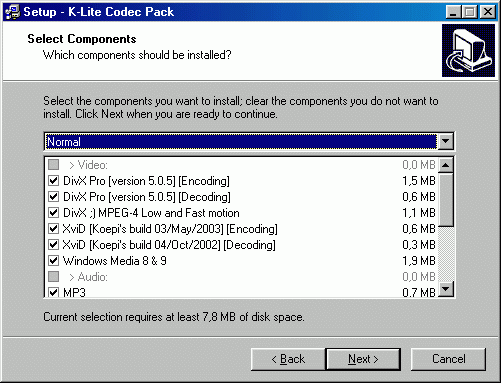
K-Lite Codec Pack Full vs VLC Media Player: At a Glance
K Lite Codec Pack Full is the better choice for Windows users who need system-wide codec integration across multiple applications because it installs DirectShow filters that benefit Windows Media Player, editing software, and third-party programs; VLC Media Player suits cross-platform users and those preferring standalone solutions because it handles damaged files and exotic formats without modifying system codecs. Both programs tackle the same core problem — eliminating "cannot play this file" errors — but through fundamentally different approaches. K-Lite transforms your Windows system into a universal media machine, while VLC operates as a self-contained fortress that handles virtually any file you encounter. The k-lite codec pack full vs vlc media player debate ultimately centers on whether you prioritize system integration or platform independence.
Where K-Lite Codec Pack Full Wins
System-Wide Codec Integration
K-Lite Codec Pack Full 19.7.0 installs DirectShow filters that benefit every Windows application, not just one player. When I drop an MKV file into Windows Media Player, Adobe Premiere, or any third-party software, LAV Filters handle the decoding automatically. This system-wide approach means video editing applications, media converters, and even web browsers can use the same codec infrastructure. VLC's internal codecs remain isolated within its own application, forcing you to manually import files into VLC or maintain separate codec solutions for professional software that expects DirectShow integration.
Hardware Acceleration Performance
LAV Video Decoder automatically selects DXVA2, D3D11, or NVDEC hardware acceleration based on available graphics hardware, reducing CPU usage from 80% to 15% during 4K H.265 playback on compatible systems. The pack's madVR renderer provides pixel-perfect upscaling algorithms that outperform basic video output methods. Memory footprint stays lean at 15-30MB for standard definition content, scaling efficiently to 60-120MB for 4K streams. Frame drops rarely occur because LAV Filters prioritize rendering stability over experimental features that can destabilize playback on older hardware.
Where VLC Media Player Wins
Cross-Platform Consistency
VLC Media Player 3.0.23 delivers identical functionality across Windows, macOS, and Linux systems, making it invaluable for users working on multiple platforms. I can maintain the same playlist, subtitle preferences, and keyboard shortcuts whether running Windows 11 or Ubuntu 22.04. The GPL license ensures long-term availability without vendor lock-in concerns. K-Lite remains Windows-exclusive due to its DirectShow dependencies, forcing Mac and Linux users to seek alternative codec solutions that may not match Windows format compatibility.
Damaged File Recovery
VLC excels at playing corrupted, incomplete, or damaged media files that crash other players entirely. The software reads partial downloads, recovers audio from broken MP4 containers, and extracts viewable content from files with missing headers or corrupted metadata. This resilience stems from VLC's internal codec implementation that includes error-recovery algorithms absent from standard DirectShow filters. When forensic media recovery or partial file playback becomes necessary, VLC often succeeds where codec pack solutions fail completely.
Head-to-Head: Feature Comparison
| Aspect | K-Lite Codec Pack Full | VLC Media Player |
|---|---|---|
| License | Free (proprietary installer) | GPL open-source |
| Platforms | Windows 7-11 only | Windows, macOS, Linux |
| Installation size | 150MB system integration | 100MB standalone |
| RAM usage (4K playback) | 60-120MB via LAV Filters | 80-150MB internal codecs |
| Hardware acceleration | DXVA2, D3D11, NVDEC | DXVA2, D3D11, VAAPI |
| System codec integration | Full DirectShow filters | Isolated internal codecs |
| Container support | MKV, MP4, AVI via filters | All formats plus network streams |
| Subtitle rendering | xy-SubFilter advanced styling | Built-in basic rendering |
| Audio formats | FLAC, DTS, Dolby via LAV | All major formats internal |
| DVD/Blu-ray playback | Requires CSS decryption add-on | Direct disc support |
The platform gap proves decisive for mixed-environment users, while Windows-only workflows benefit from K-Lite's deeper system integration. Hardware acceleration capabilities remain comparable, but K-Lite's madVR renderer provides superior upscaling quality for home theater setups.
Verdict by Use Case
- Windows editing workstation with Premiere Pro or DaVinci Resolve → choose K-Lite Codec Pack Full because DirectShow filters enable smooth import of camera formats and client media without transcoding delays
- Multi-platform content consumption across Windows, Mac, and Linux → choose VLC Media Player because identical interface and format support eliminates workflow disruption when switching between operating systems
- Home theater PC connected to 4K TV with surround sound → choose K-Lite Codec Pack Full because madVR provides advanced upscaling algorithms and LAV Audio Decoder supports high-bitrate DTS-HD and Dolby TrueHD passthrough
- Forensic media analysis or corrupted file recovery → choose VLC Media Player because error-recovery algorithms extract viewable content from damaged containers that crash codec pack solutions
Common Questions
Q: Can K-Lite Codec Pack Full and VLC Media Player coexist on the same Windows system?
A: Yes, both programs operate independently without conflicts since K-Lite modifies system codecs while VLC uses internal decoders. K-Lite's LAV Filters handle DirectShow applications while VLC manages its own playback engine. Some users install both to use K-Lite's system integration for editing software and VLC's damaged file recovery capabilities. The combined installation requires approximately 250MB disk space with no performance penalties.
Q: Which program handles more audio and video formats?
A: Both support virtually identical format coverage including H.264, H.265, AV1, MKV, MP4, FLAC, and hundreds of legacy formats. K-Lite's LAV Filters decode the same containers that VLC handles internally through FFmpeg libraries. The practical difference lies in subtitle rendering quality, where K-Lite's xy-SubFilter provides advanced styling options, and network streaming, where VLC includes RTSP, HTTP, and FTP protocol support that K-Lite lacks for Windows systems.
Q: Does either solution require frequent manual updates for new codec support?
A: K-Lite Codec Pack releases monthly updates through automatic notifications, while VLC releases major versions every 12-18 months with security patches between releases. Both maintain compatibility with evolving video standards like AV1 and future H.266 developments. K-Lite's update process requires administrator privileges and brief system codec replacement, while VLC updates operate like standard application upgrades without system-level modifications or free software licensing complications.