Is Audacity Good
Is audacity good for audio editing? Yes, Audacity 3.7.7 delivers professional multi-track recording and editing capabilities through an open source license that eliminates licensing fees. This cross-platform audio editor handles everything from podcast production to music mastering across Windows systems, macOS, and Linux distributions.
Core Recording and Editing Features
Audacity records audio through multiple input devices simultaneously, creating separate tracks for each microphone or instrument source. The interface displays waveforms visually, making precise cuts and splice operations intuitive for beginners while maintaining frame-accurate editing for professionals.
Multi-Track Audio Editing Capabilities
The built-in equalizer offers 31 frequency bands for detailed sound shaping. Noise reduction algorithms eliminate background hum and electrical interference from recordings. Time-stretching changes tempo without affecting pitch, while pitch-shifting alters tone without changing playback speed.
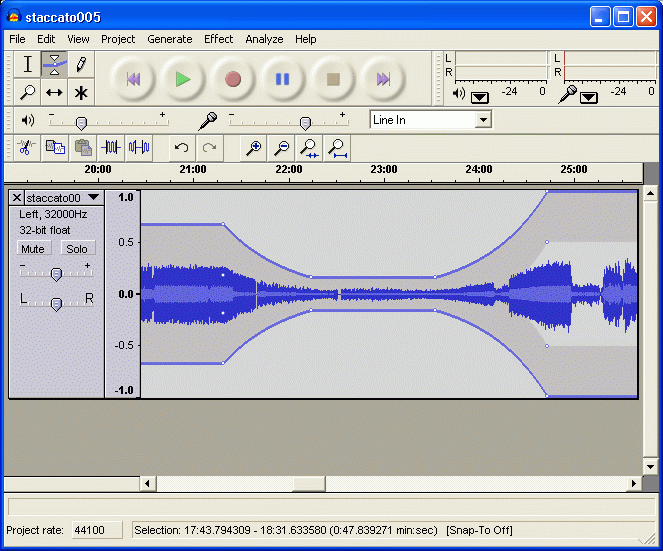
Apply fade-ins, crossfades, and volume automation with envelope tools that follow mouse movements. The spectrum analyzer displays frequency content in real-time during playback, useful for identifying problem frequencies or analyzing mix balance.
Audio Effects and Processing Tools
Generate tones, silence, or white noise through the Generate menu for creating test signals or track spacing. The Amplify effect shows the exact decibel increase needed to reach peak volume—leave the default value to normalize audio automatically.
Effects processing includes reverb, echo, compression, and distortion algorithms. Apply Click Removal under Effect > Special to eliminate vinyl record pops automatically. The Compressor effect reduces dynamic range for broadcast-ready audio levels.
Export and Format Support
Export mixdowns with custom bitrate settings for web distribution or CD burning. Supported formats include WAV, FLAC, MP3 (requires LAME encoder), OGG Vorbis, and M4A through FFmpeg integration. Batch export processes multiple files simultaneously using labels as track markers.
Performance and Workflow Analysis
Recording latency stays below 10ms on modern systems with ASIO drivers. The program handles 96kHz/32-bit float sessions without dropouts on 8GB RAM configurations. Undo operations store states efficiently, allowing hundreds of edit reversions without memory overflow.
Real-time effects preview lets you audition changes before applying permanent modifications. Record-enable multiple tracks simultaneously by holding Shift while clicking record buttons. Press spacebar during playback to pause at precise edit points for surgical editing work.
Comparing Free Audio Recording Software Options
| Feature | Audacity | GarageBand | Reaper Trial |
|---|---|---|---|
| Platform Support | Win/Mac/Linux | Mac only | Win/Mac/Linux |
| Track Limit | Unlimited | 255 | Unlimited |
| VST Support | Yes | No | Yes |
| Real-time Effects | Limited | Full | Full |
| Price | Free | Free (Mac) | $60 after 60 days |
Is audacity good compared to commercial alternatives? For basic recording and editing tasks, it matches capabilities found in $200+ audio production software. The learning curve stays manageable for podcasters and home musicians who need reliable multi-track recording without subscription costs.
However, limitations include basic MIDI support and fewer real-time processing options compared to dedicated DAW applications. Plugin compatibility works well with LADSPA and VST formats, though some commercial plugins require additional configuration.
For users seeking completely free audio editing software without watermarks or time restrictions, this remains the most capable option available. Export custom keyboard shortcuts through Edit > Preferences > Keyboard for workflow backup. Is audacity good for professional work? Yes, for recording, editing, and basic mixing tasks across any operating system without licensing restrictions.
Compare Audacity Head-to-Head
More Audacity Guides
Explore Multimedia
Browse all multimedia on BigForkSteering. Also see Open Source software and Windows / macOS options.