Total Commander 11.56 vs WinRAR: At a Glance
Total Commander 11.56 is the better choice for system administrators who need dual-pane file operations and FTP management because it treats archives like folders within a thorough file manager; WinRAR suits users prioritizing compression efficiency and secure backup creation because it delivers superior compression ratios with AES-256 encryption. Both programs handle multiple archive formats natively, but they serve fundamentally different workflows. Total Commander functions as a complete Windows Explorer replacement with built-in archiving capabilities, while WinRAR focuses exclusively on compression tasks. The split comes down to whether you need broad file management functionality or specialized archive operations with maximum compression efficiency.
Where Total Commander 11.56 Wins
Dual-Pane File Operations
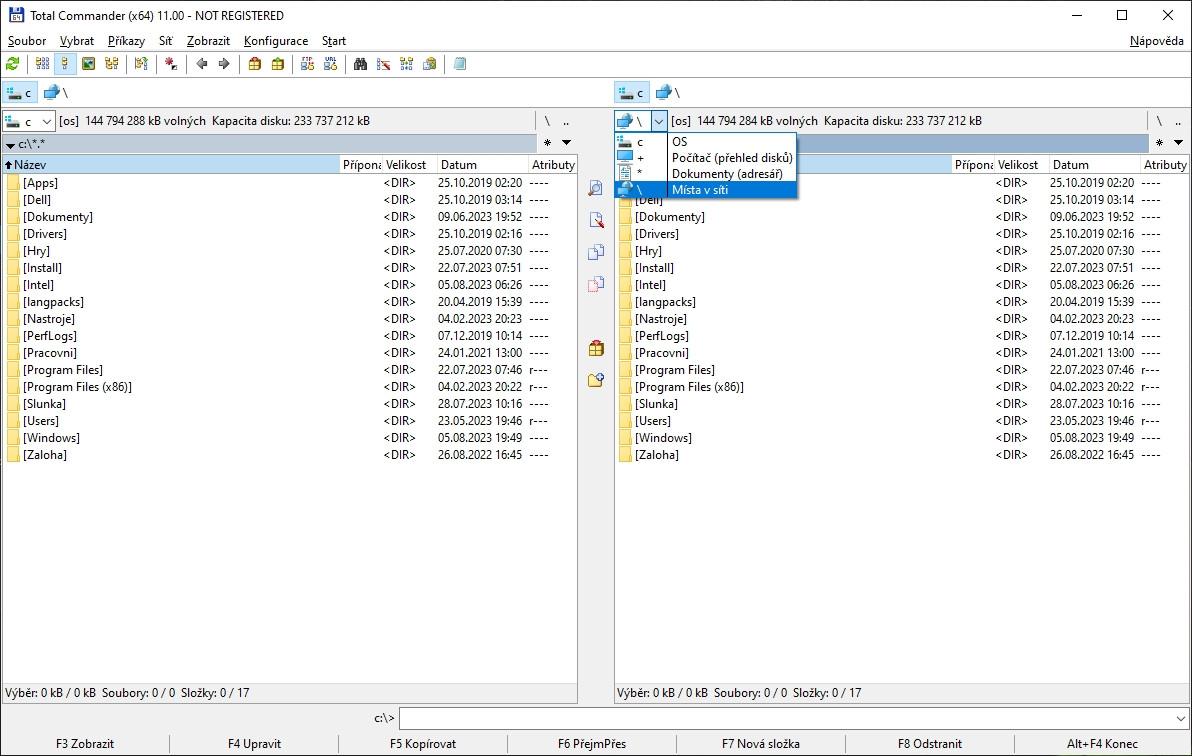
Total Commander's Norton Commander interface provides instant file transfers between locations through drag-and-drop operations across vertical panes. Press Alt+F1 and Alt+F2 to switch drives rapidly, while Ctrl+Q launches Quick View for file previews without opening external applications. System administrators particularly value the registry editing capabilities and remote desktop file transfers via RDP sessions. The synchronize directories feature (F9 Configuration) compares folder contents and highlights differences, making it invaluable for backup verification and system maintenance tasks.
Integrated FTP and Network Operations
The built-in FTP client supports SFTP and secure connections for server management directly from the file manager interface. Unlike standalone FTP clients, Total Commander maintains stable connections even during large transfers while preserving the dual-pane workflow. Network operations integrate smoothly with local file management—you can compare remote and local directories side-by-side, then transfer specific files with visual confirmation. This eliminates the workflow disruption of switching between separate applications for file and network operations.
Where WinRAR Wins
Superior Compression Performance
WinRAR consistently outperforms competitors with compression ratios 10-30% better than standard ZIP algorithms on text documents and media files. The proprietary RAR5 format typically compresses 15% smaller than 7Z on mixed file types, while multi-threading support utilizes up to 32 CPU cores simultaneously. Solid compression mode increases ratios by 5-15% though sacrifices random file access. Memory usage peaks at 200MB during large operations, but the compression efficiency often justifies the resource consumption for backup scenarios.
Advanced Archive Security Features
WinRAR's AES-256 encryption secures archives with passwords up to 127 characters, providing enterprise-grade protection for sensitive data. Recovery records automatically repair damaged archives—crucial for long-term backup storage where bit rot or hardware failures can corrupt files. The software validates archive headers and checksums to detect tampering attempts, while password-protected archives resist brute-force attacks when using strong passwords. These security features make it superior for creating tamper-resistant backups and distributing confidential documents.
Head-to-Head: Feature Comparison
| Aspect | Total Commander 11.56 | WinRAR |
|---|---|---|
| License | Trial (30 days) | Trial (40 days) |
| Platforms | Windows 7-11 only | Windows XP-11 only |
| Archive formats supported | ZIP, RAR, 7Z, TAR, GZIP | 40+ formats including RAR creation |
| Primary use case | File management with archiving | Compression and archiving specialist |
| Resource footprint | 30-50MB RAM typical | 200MB RAM during compression |
| Built-in encryption | Basic FTP password storage | AES-256 with recovery records |
| File management features | Dual-pane, FTP, hex editor, comparison | Archive-focused only |
| Compression efficiency | Standard algorithms | Superior ratios, 10-30% better |
The compression efficiency gap proves significant for users creating frequent backups or distributing large file collections. However, Total Commander's thorough file management capabilities eliminate the need for separate utilities in complex workflows involving both local and remote file operations.
Verdict by Use Case
- System administration with mixed local/remote operations → choose Total Commander because dual-pane FTP integration eliminates workflow disruption between file management and server operations
- Creating secure backup archives for long-term storage → choose WinRAR because recovery records and AES-256 encryption protect against both hardware failures and unauthorized access
- Daily file management requiring archive extraction → choose Total Commander because archives appear as folders within the existing file manager workflow, eliminating separate application launches
- Professional compression workflows prioritizing file size optimization → choose WinRAR because superior compression ratios reduce storage costs and transfer times for commercial users handling large datasets
Common Questions
Q: Can Total Commander 11.56 vs WinRAR handle password-protected archives equally well? A: WinRAR provides significantly stronger archive security with AES-256 encryption and passwords up to 127 characters. Total Commander extracts password-protected archives created by other programs but only offers basic encryption for FTP password storage. For creating secure archives, WinRAR's encryption standards meet enterprise security requirements.
Q: Which program offers better integration with antivirus scanners? A: Both programs integrate with Windows Defender and third-party antivirus software through real-time protection during file extraction. Total Commander's right-click context menu allows batch scanning of selected files, while WinRAR automatically triggers security scans as files are extracted to disk. Neither provides built-in malware detection—they rely on existing antivirus protection.
Q: Is the learning curve steeper for Total Commander or WinRAR? A: Total Commander requires more initial setup time due to its thorough feature set and Norton Commander-style interface that differs from Windows Explorer. WinRAR's focused compression interface proves more intuitive for occasional users. However, Total Commander's extensive customization options and keyboard shortcuts provide greater long-term efficiency gains for power users.